When is an email inbox no longer enough for customer service?
An email inbox is no longer enough once enquiries get lost, it is unclear who replies and your team looks up orders by hand. That is when a ticketing system with status, history and ownership helps. This checklist shows you the signs and the way to switch.
Ready instantlyCancel monthlyEU hosting
Seven signs that your inbox is no longer enough
Check your daily work against these questions:
- Do enquiries get lost in the shared inbox?
- Is it unclear who owns each enquiry?
- Is there no visible status for open cases?
- Do you look up orders manually to write replies?
- Do enquiries arrive through separate channels?
- Does your team answer the same questions repeatedly?
- Is the returns status missing when customers follow up?
How ZYBR solves it
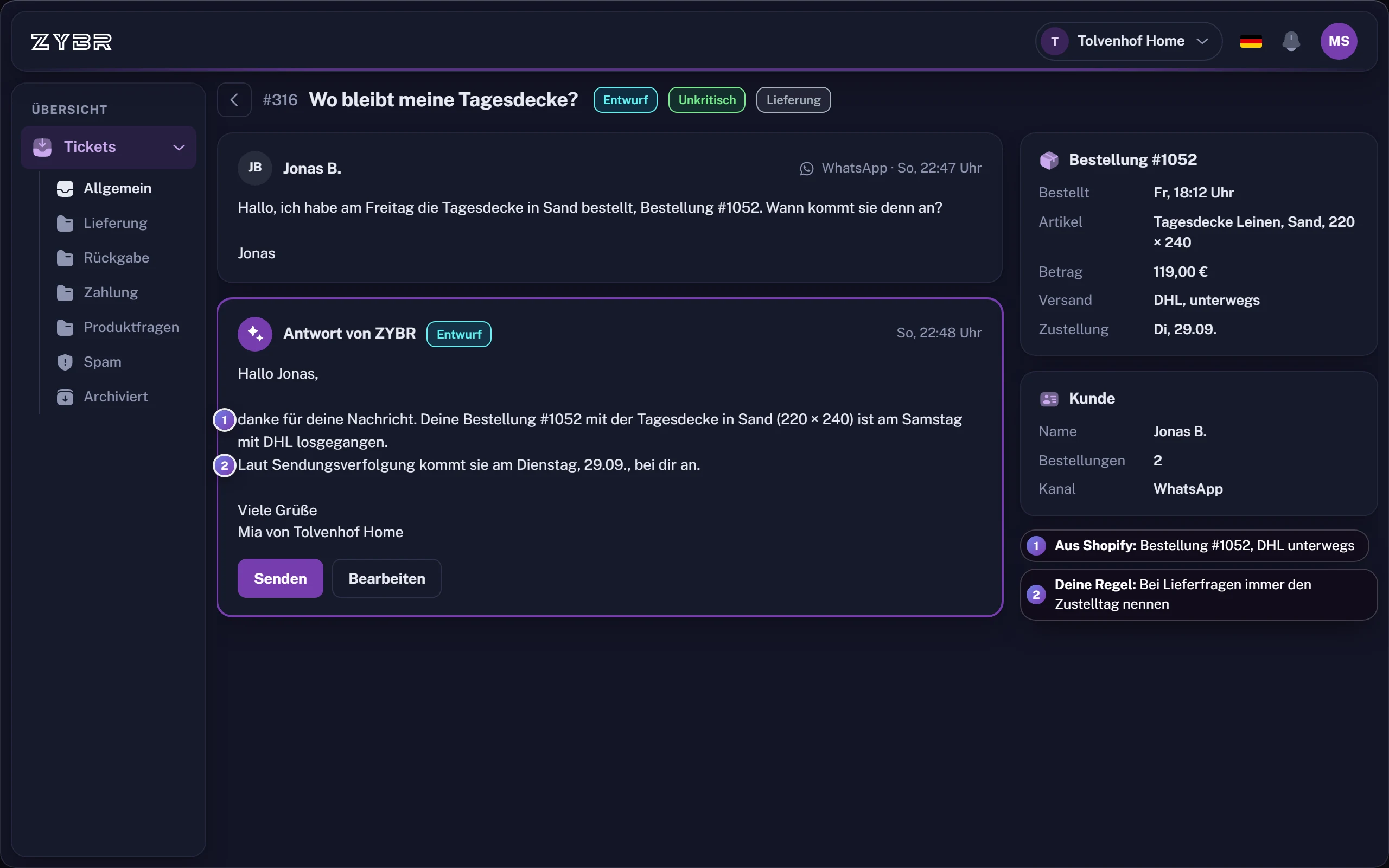
AI reads enquiries, retrieves order and delivery details and writes a draft.
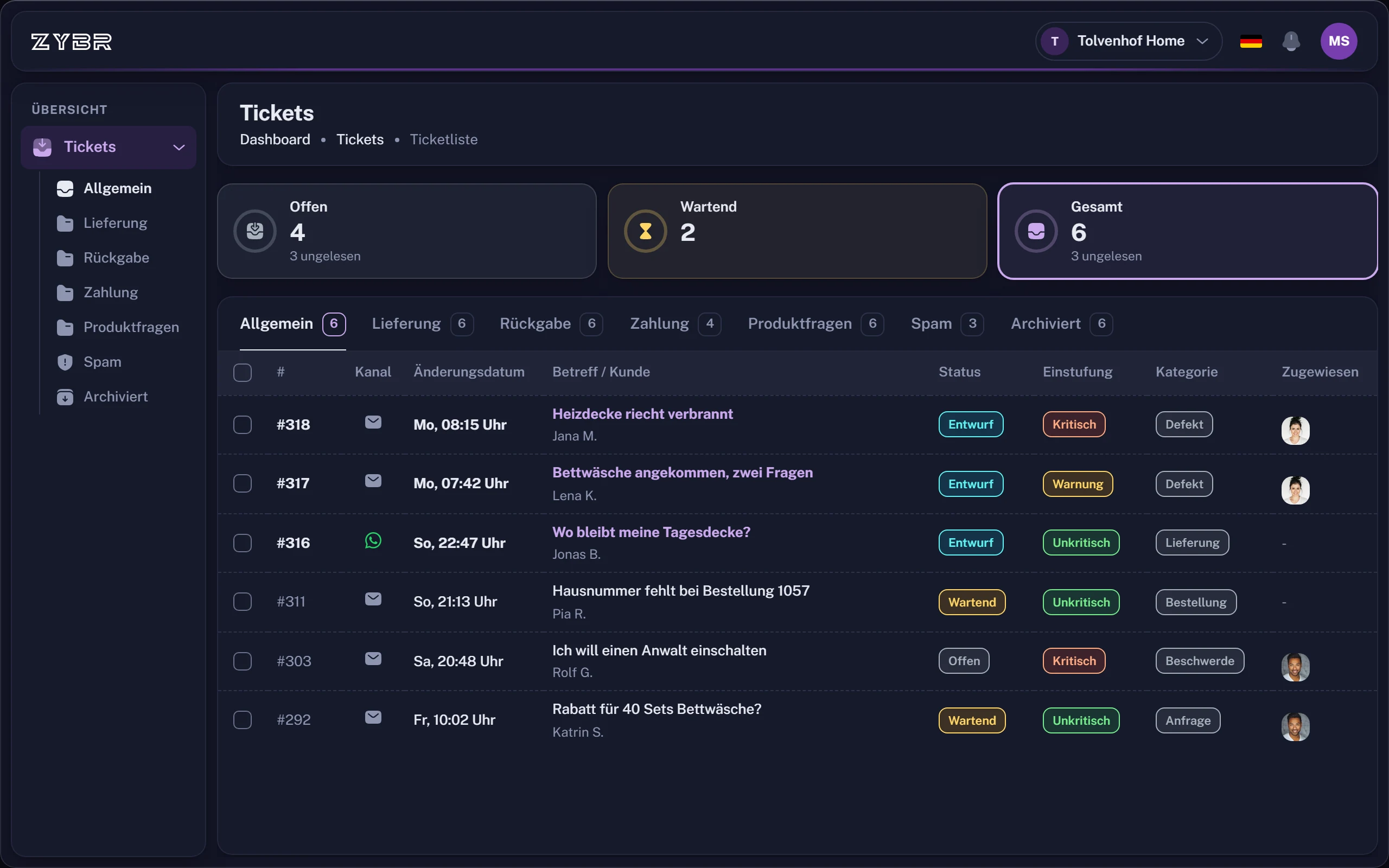
Every enquiry becomes a ticket
Each enquiry has a status, a history and an owner. Emails and messages from WhatsApp, Instagram and Facebook come together in one inbox.The order is in the ticket
ZYBR retrieves order and delivery details from Shopify and writes the reply draft right away.You decide by topic
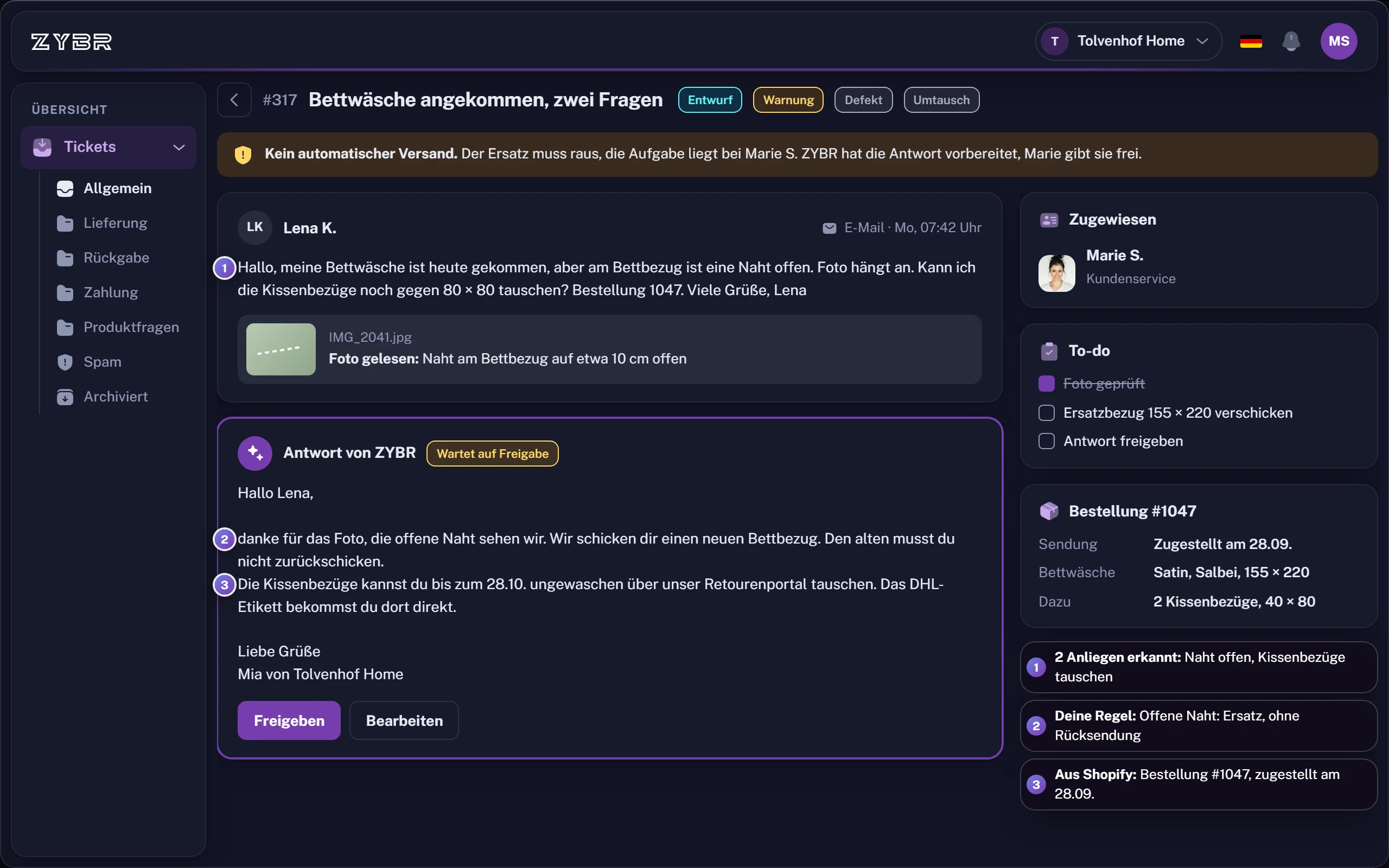
In ZYBR, you choose sending rules by topic. Your team keeps control of sensitive cases.
What a ticketing system should do
A ticketing system keeps status, history and ownership together. For your Shopify shop, it should show the related order, bring channels together and enable teamwork.
A checklist for switching
- List the channels your customers use.
- Check that order and delivery details are available in tickets.
- Test with real enquiries and your team.
- Check that returns and customer service are connected.
- Decide which topics stay as drafts and which may be answered automatically.
Questions about moving from inbox to ticketing system
When is a ticketing system worth it instead of an email inbox?
As soon as enquiries get lost in the shared inbox, it is unclear who handles which email or your team looks up orders by hand for every reply. A ticketing system gives each enquiry a status, a history and an owner. For a Shopify shop it should also show the related order and bring several channels together.
What is the difference between an inbox and a helpdesk?
An inbox collects emails, a helpdesk turns them into cases. Each enquiry gets a status, a history and an owner. Channels such as WhatsApp or Instagram come together in the same inbox. In ZYBR the order from Shopify is also shown in the ticket. The AI writes a reply draft for it.
How do I switch from an inbox to a ticketing system?
First list the channels your customers write on and check that order and delivery details are available in the ticket. Then test with real enquiries and your team, including the connection to your returns. Finally decide which topics stay as drafts and which may be answered automatically.
Try ZYBR with your own customer enquiries
Connect your shop, forward your customer emails and look at the first drafts. Afterwards you decide by topic what is sent automatically.
- 1Create account
- 2Connect shop
- 3Train BRAIN
- 4Let it reply
Ready instantlyCancel monthlyEU hosting