A Shopify helpdesk that answers customer enquiries
ZYBR is a Shopify helpdesk that brings email, WhatsApp, Instagram and Facebook together in one inbox. The AI writes a reply to every enquiry using the order and delivery status from your shop. You decide by topic whether it is sent automatically or waits for your team as a draft.
Ready instantlyCancel monthlyEU hosting
What goes wrong without a helpdesk
As long as enquiries land in a shared inbox and in separate apps, nobody has the full picture and every reply stays manual work.
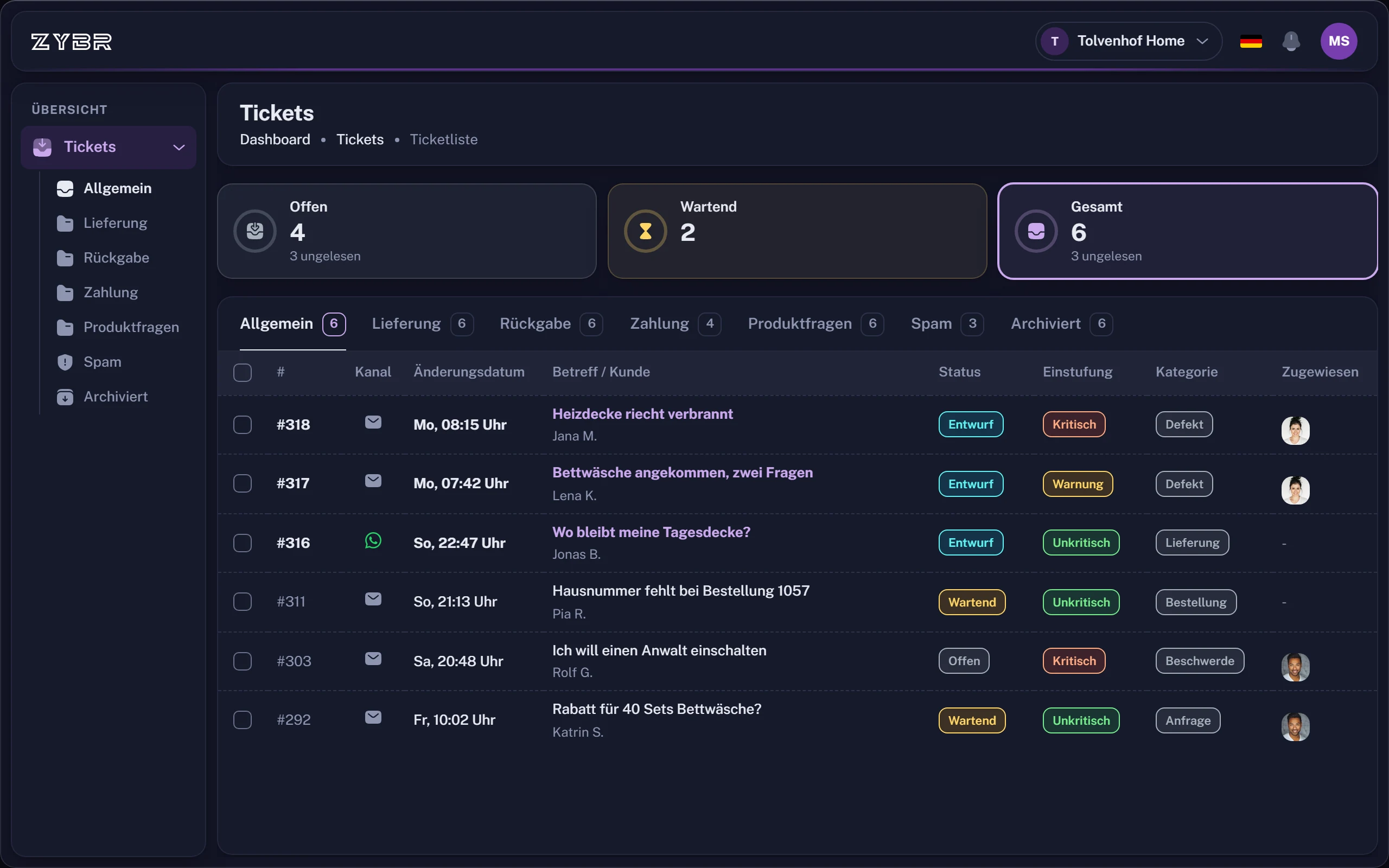
- Separate channels. Emails, WhatsApp messages and Instagram questions sit in different places, so nobody sees everything at once.
- No status. Without a status and an owner it is unclear which enquiry is open and who is working on it.
- Looking up orders. For almost every reply your team opens Shopify, searches for the order and copies the status.
How ZYBR solves it
One inbox, replies with real shop data and a clear rule for what is sent without review.
One inbox for every channel
Email, WhatsApp, Instagram and Facebook come together in one inbox. Each enquiry has a status, a conversation history and an assigned owner.Replies with order and delivery details
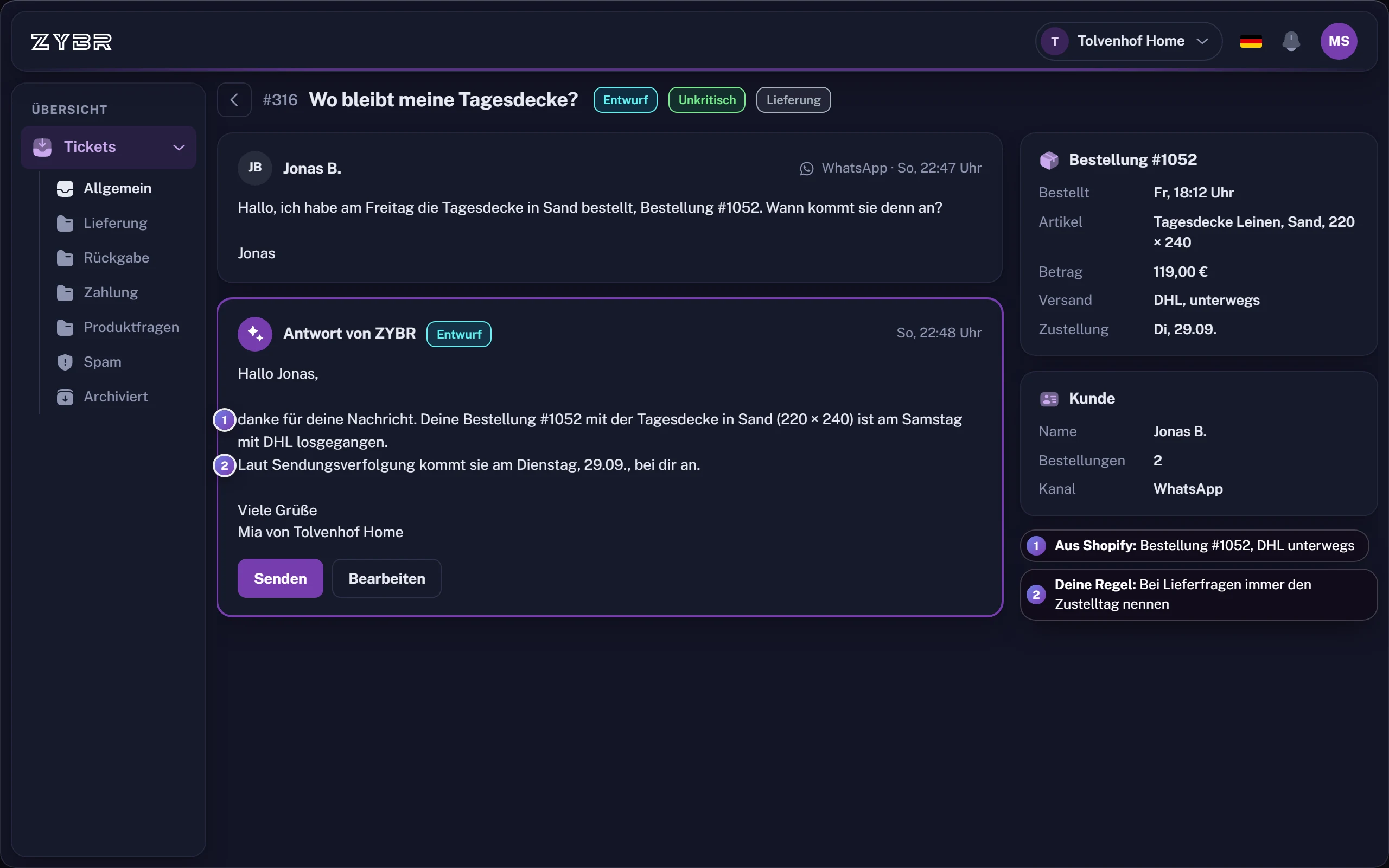
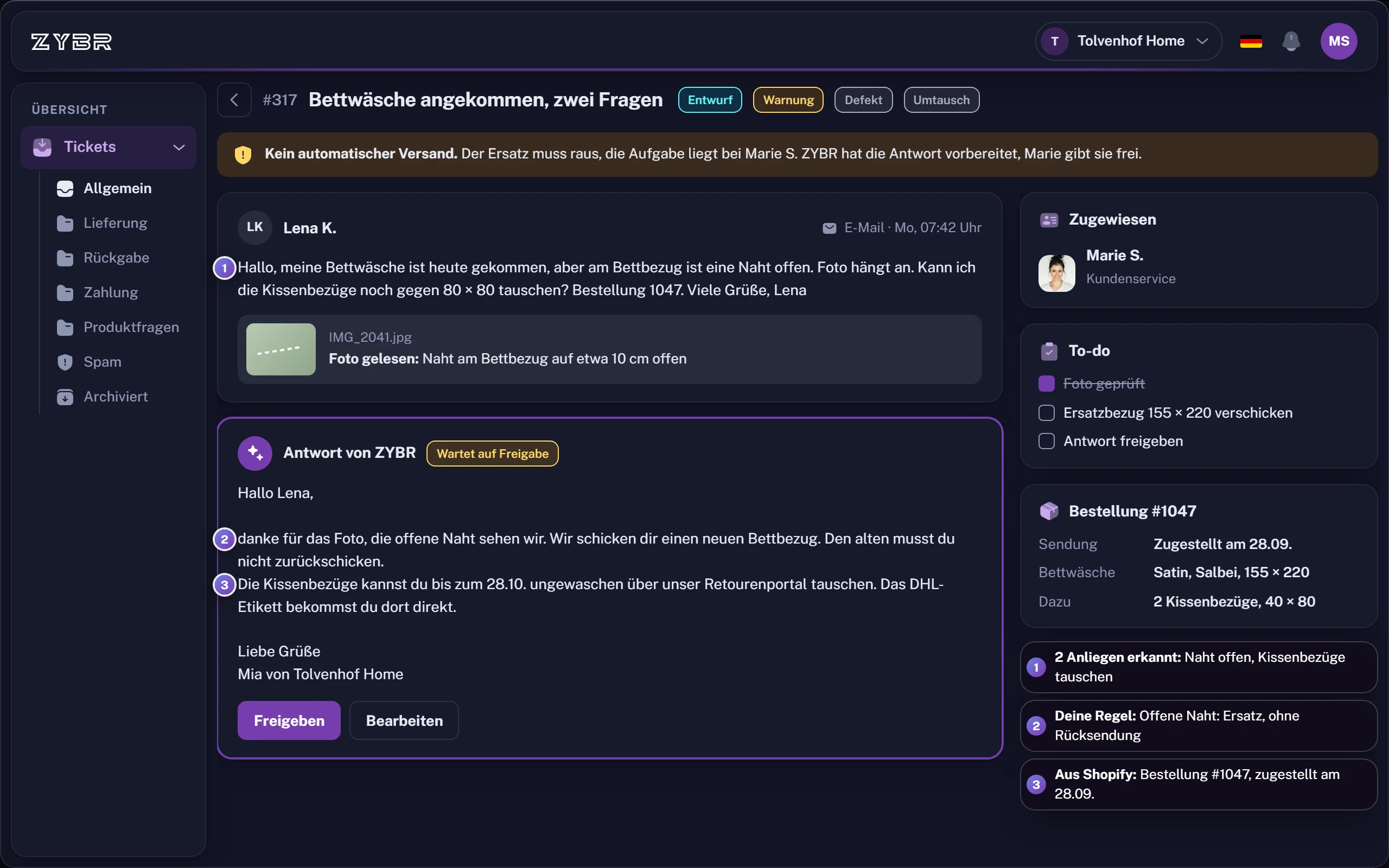
ZYBR retrieves live order and delivery details from Shopify. The AI also reads customer photos, PDFs and voice messages.You decide what is sent automatically
Enable automatic sending by topic. Everything else appears as a completed draft in the ticket for your team to check.
What to look for in a Shopify helpdesk
Compare tools not by the length of their feature list but by how much manual work is left for each enquiry.
- Shop data in the ticket. Order and delivery status should sit next to the enquiry, without switching to the shop admin.
- Control over sending. You should be able to decide by topic what is sent automatically and what your team reviews.
- Your team’s voice. ZYBR learns from your team’s replies and corrections to drafts. Greetings, tone and typical phrasing inform the next reply.
- Data locations. Ask where the application, database and AI model run. For ZYBR, every location is listed on the AI and GDPR page.
Questions about the Shopify helpdesk
What is a ticketing system and what should it do?
A ticketing system turns each customer enquiry into a case with a status, conversation history and assigned owner instead of letting it get lost in an inbox. For an online shop, it should display the related order, bring channels together and enable teamwork. ZYBR does this for Shopify and prepares the reply draft too.
Which Shopify app answers customer enquiries in German with AI?
ZYBR is built for this: it connects your shop and answers in German or your customer's language using order and delivery details from Shopify. Email, WhatsApp, Instagram and Facebook come together in one inbox. ZYBR also reads the photos, PDFs and voice messages your customers send.
Which AI helpdesk software is hosted in Germany?
Check where the application, database and AI model each run, as these are often different locations. ZYBR's application runs in Frankfurt, its database is in Belgium and the Netherlands and, with ZYBR BRAIN, its AI models run in Paris and Gravelines in France. You sign the GDPR data processing agreement during setup.
Can AI reply to customer emails automatically?
Yes. ZYBR reads forwarded emails, identifies the enquiry and writes a reply using your shop data. You choose the topics for which replies may be sent automatically. For everything else, a completed draft appears in the ticket so your team can check it and send it with one click.
Try ZYBR with your own customer enquiries
Connect your shop, forward your customer emails and look at the first drafts. Afterwards you decide by topic what is sent automatically.
- 1Create account
- 2Connect shop
- 3Train BRAIN
- 4Let it reply
Ready instantlyCancel monthlyEU hosting