A Shopify returns portal connected to customer service
In the ZYBR returns portal, customers register their return themselves, with a reason and a DHL label. The portal shares a system with your customer service, so the AI knows the status of every return. The analysis shows you why products come back.
Ready instantlyCancel monthlyEU hosting
What goes wrong without a returns portal
Without a portal every return runs through an email and what you could learn from the reasons stays buried in single messages.
- Returns by email. Customers ask how returns work, your team explains it and sends labels by hand.
- Unclear status. When someone asks about their return, your team first has to check whether the goods have arrived.
- Unknown reasons. Why products come back is scattered across emails instead of sitting in one analysis.
How ZYBR solves it
Registration, label, withdrawal and analysis run in the same system as your customer enquiries.
Customers register returns themselves
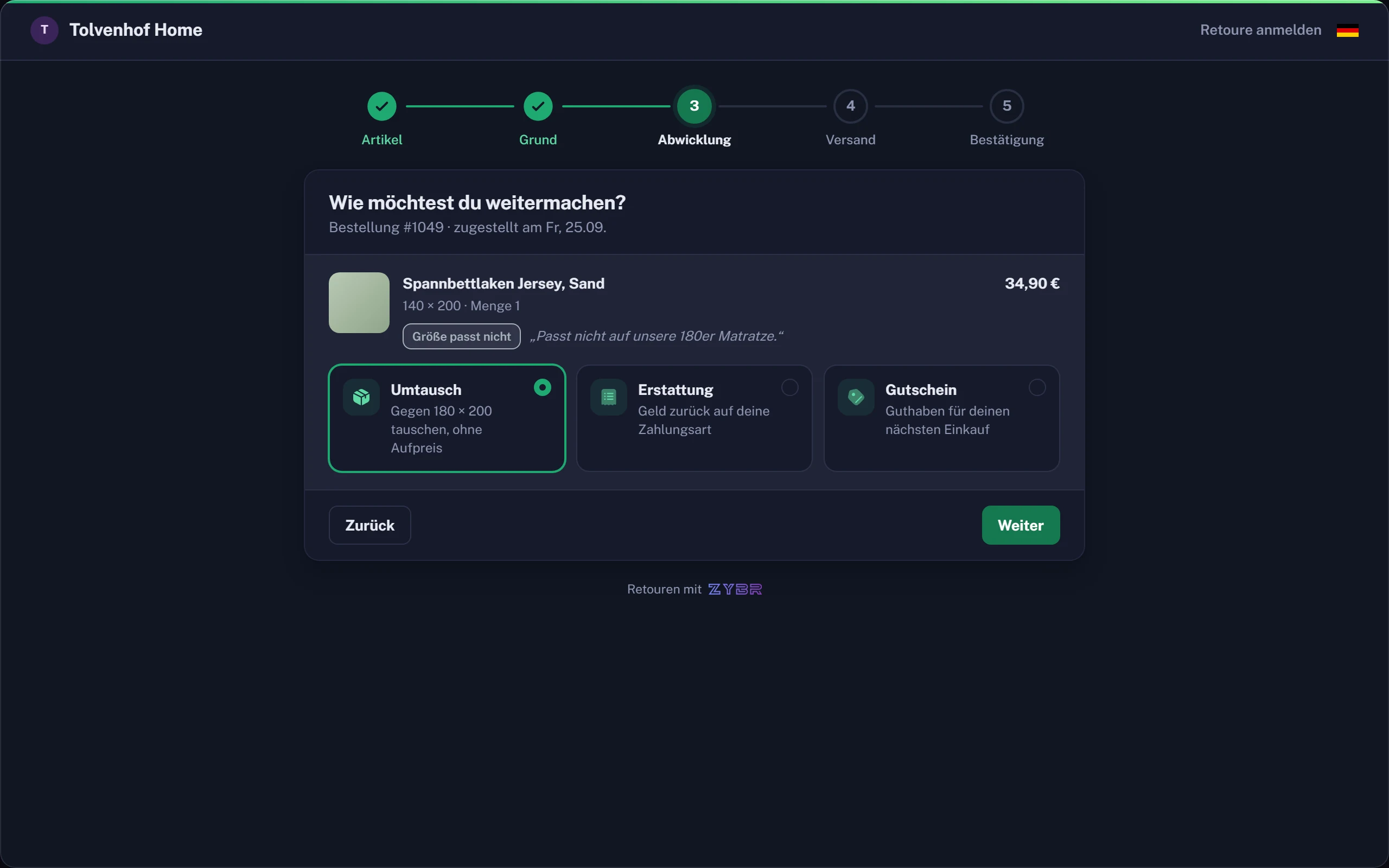
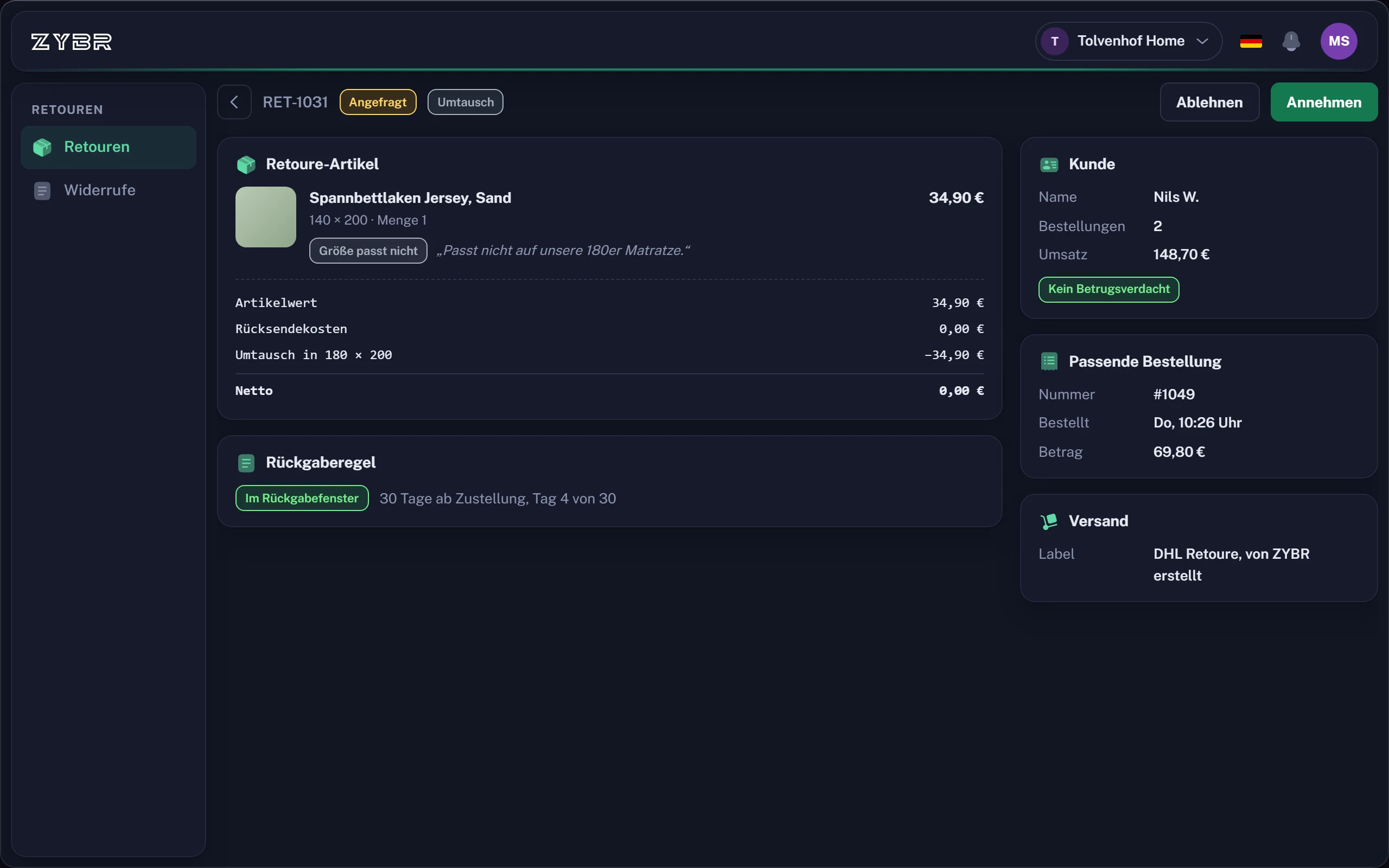
Customers register their return in the portal and select a reason. If someone later asks about it, the AI knows its status.DHL labels and refunds after arrival
The portal creates a DHL label. ZYBR can issue a refund after the goods arrive. Dedicated returns apps currently offer more choice if you need other carriers.A withdrawal button for your theme
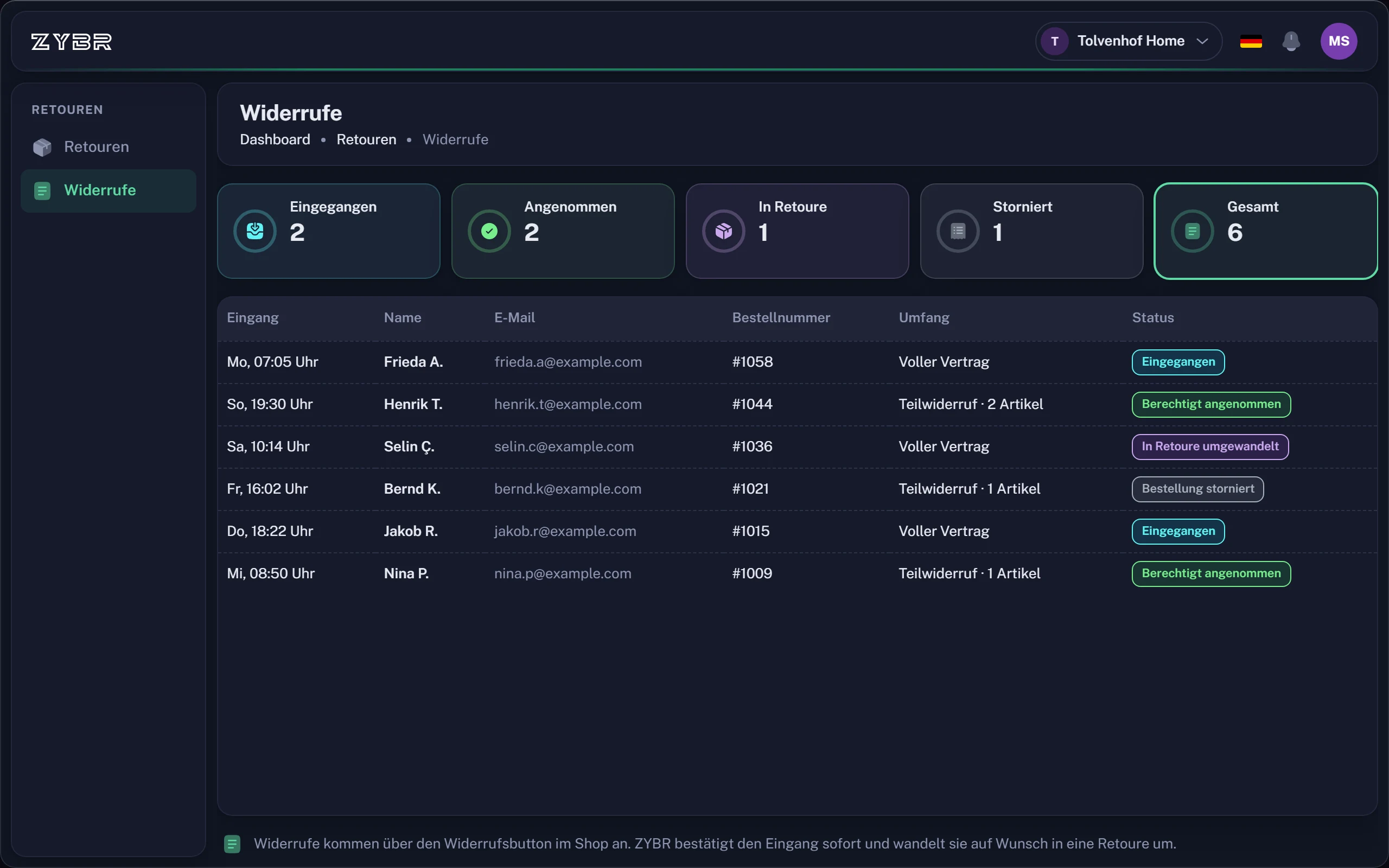
ZYBR includes a withdrawal button for your Shopify theme. It takes customers to the withdrawal function in the returns portal.Why products come back
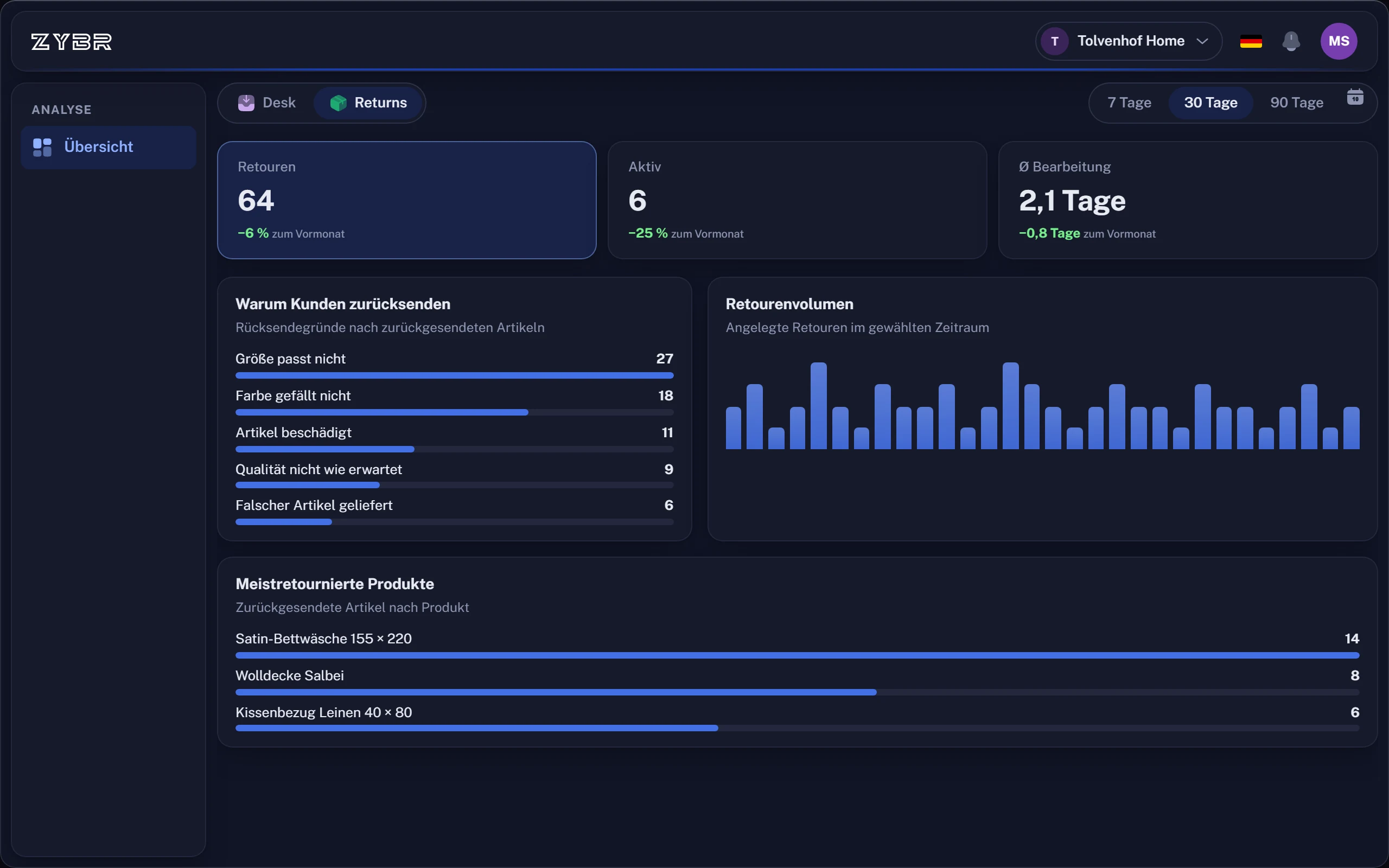
The analysis shows returns by reason and highlights products. Use customer feedback to improve size charts, product photos or descriptions.
What to look for in a returns portal
A portal only saves work when it is connected to your shop and your customer service.
- Connection to customer service. The reply to a question about a return should know the status from the portal.
- Carriers. Check which labels you need. ZYBR creates DHL labels, dedicated returns apps currently offer more choice.
- Withdrawal function. Since 19 June 2026, German online shops need a clearly visible withdrawal button under section 356a BGB. Make sure your portal covers it.
- Analysis. Reasons and conspicuous products should be analysed for you, so you can improve size charts, photos and descriptions where it matters.
Questions about the Shopify returns portal
What is a returns portal and do I need one?
In a returns portal, customers register a return, choose the reason and receive a label without emailing you. This reduces messages and gives you data. ZYBR connects the portal to customer service: if someone later asks about their return, the AI knows its status.
What returns software is available for Shopify?
There are dedicated returns apps and helpdesks with returns features. ZYBR belongs to the latter: its portal creates a DHL label, can issue a refund after goods arrive and shares a system with customer service. If you need other carriers, dedicated returns apps currently offer a wider choice.
What must an online shop provide for withdrawal?
Since 19 June 2026, German online shops must provide a withdrawal function under section 356a BGB: a clearly visible button, available throughout the withdrawal period, that guides customers through two steps. The shop must then email a confirmation straight away. An email address alone is no longer enough. ZYBR includes the button as a block for your Shopify theme.
How can I reduce returns in my online shop?
First, find out why products come back. ZYBR analyses returns by reason and shows which products stand out, such as sizing, descriptions or quality. You can use these findings to improve size charts, product photos or descriptions. ZYBR also answers questions before purchase to help prevent unsuitable orders.
Try ZYBR with your own customer enquiries
Connect your shop, forward your customer emails and look at the first drafts. Afterwards you decide by topic what is sent automatically.
- 1Create account
- 2Connect shop
- 3Train BRAIN
- 4Let it reply
Ready instantlyCancel monthlyEU hosting